Skip to content

polo 6n 16v high erratic idle

Featured Replies

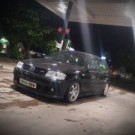
polo 6n 16v 3dr blue

Vag number: 030 906 030 E

ECU: MARELLI 1AV  2230


original brought the car and it drove perfectly however the throttle would stick at 1500 before dropping when rev'd, the issue is throttle body clogged had this issue on my gti, cleaned throttle body out and deleted egr pipe to stop further blockages.

however now the car idles erratically 2000-3500 rpm on idle

seemed like it needed a tba or had a air leak, smoke tested car three times and there is 0 leaks

using a genuine copy of ross techs VCDS (at my work) tried to tba however 098 shows no units, tried with Bosch esi-tronic aswell as snap on but no luck. adapting throttle in

have tested coolant temp, throttle body, wirring between ecu and throttle body, coolant temp sensor, map sensor wirring. via autodata specs

have also swapped the ecu for a second hand one but no difference.

have lived with this issue for 6 months now 10k miles and no closer to fixing it

p.S unplugging the throttle body makes the engine run fine but with higher fuel consumption and no cold start.


any suggestion would be greatly appreciated as am running out of options, have read through all the old forum posts on this issue over and over with little actual fixes.


I cannot provide a VCDS code read out due to it is on a work computer, but can take a picture and write it up if needed.

  • 1 month later...
  • Replies 2
  • Views 620
  • Created
  • Last Reply

Top Posters In This Topic

Would love to know if you ever found out what the issue was? I'm having the same with mu 9n.

  • 4 weeks later...
  • Author

have fixed this issue with mine, there was two issues 1. air leak on the egr. 2. there was a damaged bit of wirring the reference voltage for the potentiometer was shorting on the power for the throttle motor (controlled by ecu)


the damaged wire was in the bit of the loom  where it goes to battery.

Create an account or sign in to comment

Recently Browsing 0

  • No registered users viewing this page.

Account

Navigation

Search

Search

Configure browser push notifications

Chrome (Android)
  1. Tap the lock icon next to the address bar.
  2. Tap Permissions → Notifications.
  3. Adjust your preference.
Chrome (Desktop)
  1. Click the padlock icon in the address bar.
  2. Select Site settings.
  3. Find Notifications and adjust your preference.