Skip to content

Charlie's Pirate Mobile

Featured Replies

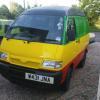
Model: 1994 Parade Coupe in Framboise Red.

Engine: 1043cc 50HP badboy.

Suspension: Standard fo sure.

Brakes: Standard.

Wheels and Tyres: Standard alloys.

Exterior Styling: G40 black front and rear badges, skull and crossbones and 'pirate mobile' decals courtesy of Jelbs. Custom dent in wing courtesy of me.

Interior Styling: Poo poo parade interior, plastic skeleton.

ICE and Security: Cd player, front speakers.

Comments: Was supposed to be a temporary car while I fixed my mk1 Derby up but looking like it's for keeps. :) Want to lower it and spray the alloys black or change them for some in my garage. Need to remove sidestrips and parade decals too. Work in progress!

Shortly after I got it. (thanks to Phil for the badges as they'd been nicked)

mycaaar.jpg

At polo show, unwashed.

mecarback.jpg

piratemobile.jpg

  • Replies 5
  • Views 3.1k
  • Created
  • Last Reply

Top Posters In This Topic

Yarrrgh!! Smack it with the lowerage stick!

Is it just me or does that number plate nearly spell... TWA?

answers on a postcard!

I like it mate, esp the sceleton touch, nice, agreed about the lowering though!!

did i see this car on ebay - maybe about 6 months ago, maybe more?? did you buy it, i remember the colour, no sorry cant forget the colour :lol: i'd leave the parade decals on aswell, dunno why? adds to the charm... you'll have to keep us updated... :thumbsup::thumbsup::thumbsup:

*rating now... 1 or 5... mmmm...*

Edited by rg_GT

Rrrrr shiver me timbers that framboise red be a fine colour. A fine vessel ye have there lass!

  • Author

Ahoy there! :)

Lowerage is on the list, got an idea for some wheels that I already have too.

Rg- yes it's off ebay, probably the one you saw. I needed a runabout and there it was, had to have it, mainly for the mileage and colour. :)

MI TWA is what it spells. If you miss out the 5 :lol:

Create an account or sign in to comment

Recently Browsing 0

  • No registered users viewing this page.

Important Information

We have placed cookies on your device to help make this website better. You can adjust your cookie settings, otherwise we'll assume you're okay to continue. Terms of Use Privacy Policy Guidelines

Account

Navigation

Search

Search

Configure browser push notifications

Chrome (Android)
  1. Tap the lock icon next to the address bar.
  2. Tap Permissions → Notifications.
  3. Adjust your preference.
Chrome (Desktop)
  1. Click the padlock icon in the address bar.
  2. Select Site settings.
  3. Find Notifications and adjust your preference.