Skip to content

It's a sad day

Featured Replies

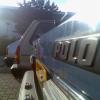
The car that first got me into polo's has gone to a new home today

byebye.jpg

It was sad to see it go but i'm sure the new owner will take good care of it like he does with his other polo's

  • Replies 13
  • Views 1.6k
  • Created
  • Last Reply

Top Posters In This Topic

why it going on a trailer :?

  • Author

sold as a rolling shell mate

Now get that mk1 done :smile:

What you doing with the engine?

  • Author
Now get that mk1 done :smile:

What you doing with the engine?

The G40 engine is in the beige beast until the new engine is built and fitted. The mk1 should be up and running next week

Is that PhilJ`s mk2?

Who bought it?

  • Author

yes, it was phils. Me and james bought it as a runaround whilst projects are off the road

ahh bless you gregg brings a tear to my eye :lol:

yeh the new owner will look after it I'm sure :ninja:

<<<<<

luke

Edited by ahh claudia

Shame it had to go, at least its in good hands!!

that it is ill get a progress thred up in the next few days.Hoping to have it on the road over christmas with a few extras I've been collecting

luke

Is this your 4th G40 of sorts then Luke? I seem to remember you already having 2 mk3's, the mk4 convo and now this shell!

Glad its gone to a good home.

I've got the 6ng this shell and my red g40 the black mk3g40 i had was the donor for my mk4 so once i build this back up ill only have 2 on the road.My red g40 will be a donor for the LregG as it has a cracked chassis was going to repair it then gregg offered me this one.I'm not scrapping my red shell tho il repair it at a later date once I've found anther engine as the chassis not that bad

luke

Edited by ahh claudia

  • Author

Still wondering how you are going to get it up your drive on 13's though luke, that car is really low.

Just sent you a pic of the mk1 mate :ninja:

yeh I'm not sure either mate but well find out once i get my rims back from james and shes all back together if not ill have to find some 14s that tickle me but i hope not as mine should look sweet.

luke

Create an account or sign in to comment

Recently Browsing 0

  • No registered users viewing this page.

Account

Navigation

Search

Search

Configure browser push notifications

Chrome (Android)
  1. Tap the lock icon next to the address bar.
  2. Tap Permissions → Notifications.
  3. Adjust your preference.
Chrome (Desktop)
  1. Click the padlock icon in the address bar.
  2. Select Site settings.
  3. Find Notifications and adjust your preference.