Skip to content

my current car

Featured Replies

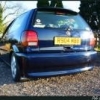
this is my corsa b 1.2, bought it for £200 and spend about £1000 doing it up over two years.

never replaced a part, other than brakes etc that obviously wear. I've done 35000 in it and it has now done 150000.

i know its not a polo, but seeing as I've just bought a valver i thought id show it.

sorry if this post isnt appreciated, but I've gotta keep meself busy to stop me from going mad, was supposed to pick up my valver tonight, but cant as it has no tax and i cant tax it until my insurance comes through. (dont ask me about it) lol.

anyways, heres my reliable first car.

when i got it

mycarwhenigotit.jpg

quite a while ago with old wheels and old suspension

100_3413.jpg

i haven't taken any recent pics, it has the cavalier gsi wheels on it now with spax adjustables.

  • Replies 8
  • Views 1.3k
  • Created
  • Last Reply

Top Posters In This Topic

if it didnt have that huge splitter on it, i would say it aint to bad for a corsa :p

Thats pretty nice that!

I'm likin big splitters at the mo!!

nice work!

Gaz

  • Author

yer i can see what you mean mike mate, but the plan was to add corsa c sideskirts which i have in the shed, only problem is i want somethin with a bit more poke, so I've lost interest in it a bit.

i know subtle is the key in most cases with vw's and i agree, but corsa enthusiasts seemed to like the splitter, it only looks good from head on, due to lack of skirts.

cheers gaz for comment

Edited by spilz

yeah i know what you mean mate, thats why i pulled up on it because it looks too low compared to the sides.

but yeah big splitters look good streight on :p

That's the complete opposite of what you'd find on here. It looks like it's had a lot of effort put into it, but completely not to my taste.

two tone mirrors!

  • Author

lol, well its not to everyones taste, nothing is.

i personally hate gti's, just kiddin :)

yer two tone mirrors were the least of my worries mate lol

I like the opel badges

Create an account or sign in to comment

Recently Browsing 0

  • No registered users viewing this page.

Account

Navigation

Search

Search

Configure browser push notifications

Chrome (Android)
  1. Tap the lock icon next to the address bar.
  2. Tap Permissions → Notifications.
  3. Adjust your preference.
Chrome (Desktop)
  1. Click the padlock icon in the address bar.
  2. Select Site settings.
  3. Find Notifications and adjust your preference.