Skip to content

Latest vw photoshop

Featured Replies

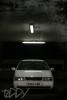
Thought id show y'all my latest photoshop, Vw Beetle Cab ;)

Comment etc please :)!

med_gallery_13651_277_395815.jpg

  • Replies 10
  • Views 1.3k
  • Created
  • Last Reply

Top Posters In This Topic

Not to my taste but good photoshop skills :thumbsup:

I can't use photoshop atall :lol:

Nice job, i have adobe photo shop, how do i put wheels on car's. I can do the lowering thing and smoothing and tinting and that but dont no how to add external images to the picture??

I think you add them as a new layer. I had a go at it once and all I could do was make them the right size :lol:

Yeh good skillz. Not so keen on the lights at the front, look a bit odd. I reckon some evil eye lights would look mint on that...

  • Author

evil eyes? like the effect a bad boy bonnet would have if that makes sense? Will have a go when i have another teacher-free college lesson :lol:

And yeah, its basically all about layers etc. Its easiest to use some wheels at a similar/same angle in the first place, and ones that are already on a car as you then have the brakes & calipersr already in the image, rather than just a white background etc. Theres hundreds of tutorials and vids on the internet (youtube?) and once you understand the principles- its rather easy!

And its not to my taste either, personally I rather eat maggots than drive a new bug!

Tis a sweet effort mate. Loving the alien look fog lamps and no headlights.

Could you sort me a full res version of the original image. I'm thinking of doing something similar with the beetle wheels in real life.

looks mad. Reminds me of alien lol i did the same car today, mainly I'm colour changing cause its the bit i need practice on, quite proud of these ones though :D

my attempt(s)

Wheels are not mine. They are from the digimods Golf

822883d5.jpg

a49f0035.jpg

da3ecb99.jpg

fda0a5f8.jpg

eb3bc0c1.jpg

aa8c4b71.jpg

Edited by ben_cab

that green one looks so cool

that green one looks so cool

which one lol?

lol sorry the one witht he black bonnet

top work

Create an account or sign in to comment

Recently Browsing 0

  • No registered users viewing this page.

Account

Navigation

Search

Search

Configure browser push notifications

Chrome (Android)
  1. Tap the lock icon next to the address bar.
  2. Tap Permissions → Notifications.
  3. Adjust your preference.
Chrome (Desktop)
  1. Click the padlock icon in the address bar.
  2. Select Site settings.
  3. Find Notifications and adjust your preference.