Paul Summers ·
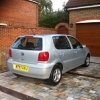
Below you will find details about the VW Polo 1.4SE. Its current owner has had the car since 1998 and over that time it has done very little mileage as can be seen from the MOT history, mostly it was only about 1,000 mile per year. The current owner is now in her 90’s and hasn’t driven the car for the last three years. The current owner had a slight accident with the garage wall the last time she drove it, hence the damage reported below and in the photos. Make: VW Model: Polo 1.4SE Year/Reg: 1



 kwijibo_coupe
 howie mk2f

