


You've been Spotted!
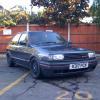
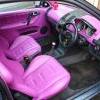
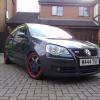
Polo sightings out and about.
6292 topics in this forum
-

- 0 replies
- 557 views
PortsmouthBMX -
- 2 replies
- 821 views
ctothey -
- 0 replies
- 553 views
indy231 -
- 0 replies
- 543 views
mattyc53 -
- 0 replies
- 546 views
goride85 -
- 0 replies
- 615 views
goride85 -
- 0 replies
- 657 views
kyle1b1 -
- 0 replies
- 772 views
higgo -
- 0 replies
- 568 views
witherz -

- 6 replies
- 998 views
neil_dubgt -
- 2 replies
- 1k views
higgo -

- 0 replies
- 533 views
40Cent -

- 0 replies
- 602 views
AndyMK4 -

- 1 reply
- 732 views
 Guest
-

- 1 reply
- 640 views
AnDy_1.4_PoLo -

- 0 replies
- 715 views
thorpy -

- 0 replies
- 750 views
mintwiththehole1 -

- 0 replies
- 576 views
MiniMurderdoll -
- 0 replies
- 707 views
MK4_amy -

- 0 replies
- 628 views
joeovls28 -
- 0 replies
- 800 views
Guest -
- 4 replies
- 852 views
Guest -
- 0 replies
- 570 views
Guest -
- 0 replies
- 593 views
Guest -
- 0 replies
- 1k views
Guest
Recently Browsing 0
- No registered users viewing this page.