


You've been Spotted!
Polo sightings out and about.
6292 topics in this forum
-

- 1 reply
- 749 views
 xcore
-
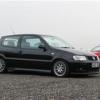
- 3 replies
- 1.1k views
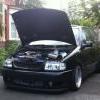 panda
-
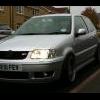
- 0 replies
- 632 views
alex2005t -
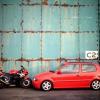
- 0 replies
- 582 views
J4Ke -

- 7 replies
- 1.6k views
 c4a8lGTT
-
- 1 reply
- 795 views
 MancMike
-
- 6 replies
- 1.4k views
Guest -
- 2 replies
- 853 views
 G40_CTM
-
- 0 replies
- 744 views
Guest -

- 5 replies
- 1.3k views
Barkshire -
- 6 replies
- 1.4k views
 act23
-

- 0 replies
- 800 views
JoshM -
- 0 replies
- 668 views
Guest -

- 1 reply
- 759 views
L5NTN -

- 1 reply
- 736 views
 G40 AD
-
- 0 replies
- 777 views
panda -

- 1 reply
- 932 views
 rossgt
-

- 3 replies
- 1.4k views
 polo_p_69
-
- 11 replies
- 1.8k views
Dean -

- 1 reply
- 664 views
 Pix
-

- 1 reply
- 899 views
Dean -
- 0 replies
- 585 views
Roly -
- 3 replies
- 995 views
Mike_Rigby -
- 3 replies
- 1k views
jimmy7 -
- 0 replies
- 630 views
taylor86
Recently Browsing 0
- No registered users viewing this page.