Skip to content

(Not a) Black 6n on Top gear!

Featured Replies

Was this you?

Edited by mattway

  • Replies 27
  • Views 3.3k
  • Created
  • Last Reply

Top Posters In This Topic

it looked like mk3 golf

Yeah it was a Mk3 Golf

i though it was a golf...

Well they all look the same now. :lol:

looked like a g60 with a bonnet bra , not a 6n :S

  • Author

yea just realised, my bad. only caught a glimpse of it.

delete this one.

was pretty nice anyway and good to see it on television

golf

everyone hus watchin vote vw

Mk3 Golf...

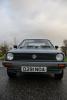
P1160657.jpg

Definately a mk3 Golf + it HAS to be VW ;)

Nice one Alex, good thinking :lol:

Is it a GTi or G60?

It's a GTI, 2.0 16v judging by the red badge. There's no such thing as a factory Mk3 G60.

Was the driver an asian guy?

I can't be arsed rewinding again lol!

That Geoff car is actually quite cool it even scrapes the tarmac aswell and there isn't a sump to scrape. win win situation ;)

Edited by VW+SWFC=:)

I can't be arsed rewinding again lol!

:lol: no worries dude.

There was a polo that drove through before the Golf I thaught?

There was a polo that drove through before the Golf I thaught?

there was it was a grey mk4 with a personalised plate but apart from that it was standard e.g. about 11" steels etc....

+ i have fallen in love with that golf for some reason the paint is just too nice ;)

yeah, with some woman in?

:lol: when that Peugeot smashed its wing mirror..

i don't think it's an asian guy driving, i think it's a black guy, he looks well steez though :lol:

:lol: when that Peugeot smashed its wing mirror..

Typical peugeot driver lol, neither of the VW drivers managed to crash at 2mph ;)

Anyone else think that the rear lights on "geoff" were off a MK2 polo? bready or coupe?

Anyone else think that the rear lights on "geoff" were off a MK2 polo? bready or coupe?

Think they were off the milk float :)

Do look simalar though

Create an account or sign in to comment

Recently Browsing 0

  • No registered users viewing this page.

Account

Navigation

Search

Search

Configure browser push notifications

Chrome (Android)
  1. Tap the lock icon next to the address bar.
  2. Tap Permissions → Notifications.
  3. Adjust your preference.
Chrome (Desktop)
  1. Click the padlock icon in the address bar.
  2. Select Site settings.
  3. Find Notifications and adjust your preference.