



Cars Breaking (For Sale)
Use this area for breaking your car, as this will be easier to keep track of when selling your parts.
Links to eBay allowed only if you are the seller!!
DO NOT RESPOND TO AN ADVERT UNLESS YOU ARE INTERESTED IN BUYING!!!
PLEASE USE THE NEW 'MARK AS SOLD' BUTTON, WHEN YOUR ITEM HAS SOLD!
Notice: When paying via PayPal you are advised not to send any payment as a 'Gift'. Doing so means that you lose the protection you get from PayPal if the item does not turn up.
2805 topics in this forum
-
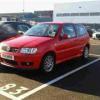
- 0 replies
- 405 views
jam3983 -

- 0 replies
- 328 views
nick_breckons -
- 0 replies
- 501 views
jobalob81 -

- 0 replies
- 317 views
patttt -

- 0 replies
- 319 views
sham60 -

- 0 replies
- 782 views
performancevw -
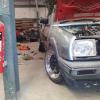
- 0 replies
- 386 views
kkpolocoupe -

- 0 replies
- 454 views
tj.smith1991 -
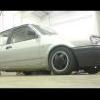
- 0 replies
- 429 views
DjMaC -
- 0 replies
- 304 views
tomjam -

- 0 replies
- 384 views
doddy1988 -

- 0 replies
- 416 views
chrislat777 -

- 0 replies
- 377 views
antony c -

- 0 replies
- 323 views
Gurinder_25 -

- 0 replies
- 346 views
seb232 -

- 0 replies
- 442 views
Guest -
- 0 replies
- 316 views
Guest -

- 0 replies
- 557 views
DApolo16vguy -

- 0 replies
- 525 views
keefa2011 -

- 0 replies
- 1k views
dart_strife -

- 0 replies
- 424 views
BLACK6N -

- 0 replies
- 434 views
369racing -

- 0 replies
- 374 views
jordy.210393 -
- 0 replies
- 448 views
Jackblack -
- 0 replies
- 350 views
Guest
Recently Browsing 0
- No registered users viewing this page.
