



Polos
Rules on selling your car
Notice: When paying via PayPal you are advised not to send any payment as a 'Gift'. Doing so means that you lose the protection you get from PayPal if the item does not turn up.
Please use the guide located here, and make sure your adverts are complete!
9369 topics in this forum
-
- 21 replies
- 2.3k views
 pppickford
 -

- 21 replies
- 1.4k views
 racerjonzo
 -
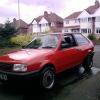
- 21 replies
- 1.6k views
MK3_Andy -
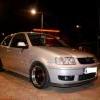
- 21 replies
- 1.4k views
Mez24 -
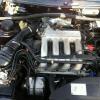
- 21 replies
- 1.1k views
ndc coupe -

- 21 replies
- 1.6k views
 Amzy-Bear
 -
- 21 replies
- 2.1k views
 jonsmart
 -

- 21 replies
- 812 views
 edewer
 -

- 21 replies
- 1.5k views
polocoupgt -

- 21 replies
- 1.4k views
robbodred -

- 21 replies
- 1.2k views
 polo6n2g40
 -

- 21 replies
- 1.8k views
 seatarosa2008
 -

- 21 replies
- 1.1k views
 m60_maniac
 -

- 21 replies
- 677 views
veedubjunky -
- 21 replies
- 1.2k views
sachin20 -
- 21 replies
- 1.8k views
aztec -
- 21 replies
- 913 views
mkdub -

- 21 replies
- 989 views
 tommyk
 -
- 21 replies
- 1.5k views
 cheddarcheese
 -

- 21 replies
- 1.8k views
 lukegreen24
 -
- 21 replies
- 846 views
 Jaybox
 -

- 21 replies
- 1.5k views
Guest -

- 21 replies
- 1k views
 dubb_gaz
 -

- 21 replies
- 2.3k views
lordofthebored -

- 21 replies
- 2.1k views
 Battle
Recently Browsing 0
- No registered users viewing this page.