



You've been Spotted!
Polo sightings out and about.
6292 topics in this forum
-
- 3 replies
- 1.1k views
JordanBmx -

- 0 replies
- 556 views
Polo96CL -

- 0 replies
- 683 views
colour_concept -

- 1 reply
- 758 views
 Crofts.Aaron
-
- 0 replies
- 593 views
pocketrocket -

- 4 replies
- 972 views
ratyty -

- 0 replies
- 657 views
Le catweasel -
- 0 replies
- 606 views
BigSexyRob -

- 3 replies
- 907 views
D16RRT -

- 0 replies
- 586 views
Guest -
- 6 replies
- 1.3k views
 joeatwolves
-
- 2 replies
- 792 views
joeatwolves -
- 0 replies
- 565 views
brayson -
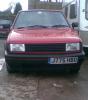
- 0 replies
- 523 views
jake-npj -
- 0 replies
- 561 views
Arj -

- 1 reply
- 752 views
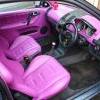 indy231
-
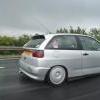
- 2 replies
- 1k views
chubby353 -
- 6 replies
- 1.3k views
Guest -

- 0 replies
- 648 views
MBlaze -
- 2 replies
- 843 views
 polo_kez
-
- 1 reply
- 751 views
Polo96CL -
- 11 replies
- 1.9k views
robdaviesss -
- 0 replies
- 742 views
Joe -
- 1 reply
- 639 views
Guest -
- 0 replies
- 639 views
TomMK2
Recently Browsing 0
- No registered users viewing this page.