


You've been Spotted!
Polo sightings out and about.
6292 topics in this forum
-
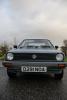
- 0 replies
- 696 views
mattway -
- 6 replies
- 1.3k views
 `Shack
-
- 0 replies
- 617 views
monkeypolo -

- 0 replies
- 656 views
harris.racing -

- 0 replies
- 638 views
ben_91polo -

- 4 replies
- 938 views
PSWPolo -

- 3 replies
- 1k views
 WelshMart
-
- 3 replies
- 964 views
 D16RRT
-
- 0 replies
- 551 views
goosyganger -
- 14 replies
- 2.1k views
 Mattnaz
-

- 0 replies
- 667 views
Guest -
- 0 replies
- 594 views
Guest -
- 0 replies
- 666 views
Alexg40 -
- 0 replies
- 536 views
duckdown_hoodrat -

- 0 replies
- 533 views
S2Dicky -
- 1 reply
- 814 views
 higgo
-
- 0 replies
- 699 views
Guest -
- 1 reply
- 849 views
 MikeyMK
-
- 3 replies
- 919 views
 Ashi
-

- 0 replies
- 590 views
lowelymoley -
- 33 replies
- 3.7k views
 Pepe
-
- 0 replies
- 548 views
Guest -
- 4 replies
- 1.3k views
Mattnaz -

- 0 replies
- 638 views
MartinB -
- 4 replies
- 1.3k views
 Karl
Recently Browsing 0
- No registered users viewing this page.
