


Polos
Rules on selling your car
Notice: When paying via PayPal you are advised not to send any payment as a 'Gift'. Doing so means that you lose the protection you get from PayPal if the item does not turn up.
Please use the guide located here, and make sure your adverts are complete!
9369 topics in this forum
-
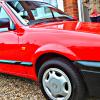
- 2 replies
- 756 views
 chrismac89
-
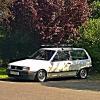
- 11 replies
- 2k views
 prankstar2003
-
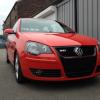
- 0 replies
- 771 views
jb93 -
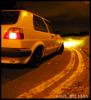
- 1 reply
- 532 views
polo_p_69 -
- 13 replies
- 1.2k views
MatW -

- 0 replies
- 504 views
JamieTallin -

- 5 replies
- 1.8k views
 mcscooby
-

- 3 replies
- 547 views
OscarFowler -

- 4 replies
- 1.1k views
 Tomedpayne
-

- 3 replies
- 570 views
 kiran_182
-

- 0 replies
- 309 views
Snowyvr6 -

- 2 replies
- 371 views
volksfan1 -

- 2 replies
- 525 views
 tom3112
-
- 1 reply
- 417 views
6nash -

- 0 replies
- 340 views
mwright92 -

- 2 replies
- 479 views
RetroWheels -

- 7 replies
- 1k views
jason11 -
- 2 replies
- 501 views
cooperpaul -

- 5 replies
- 1.5k views
 grosa
-

- 4 replies
- 1.4k views
kurtoasis -

- 0 replies
- 775 views
acerliam -

- 8 replies
- 793 views
newsman -
- 4 replies
- 1.7k views
alexm866 -

- 0 replies
- 288 views
gadgetgricey -

- 5 replies
- 842 views
MattCannon
Recently Browsing 0
- No registered users viewing this page.
