


Leaderboard
-

dav
Forum User2Points8Posts -

Pete1
Small Trader1Points651Posts
Popular Content
Showing content with the highest reputation on 11/18/23 in all areas
-
1 pointI was able to tweak the dodgy plug connections and pins with a pick/mini screwdriver and cleaned the rest up with electrical contact cleaner, just put it all back together again. Can't remember when all the electrics worked on this car at the same time! Going to put dielectric grease on the door hinge connectors and seal up the bellows with silicone to stop it going wrong again. Thanks again for your help!1 point
-
1 pointHi Pete, Exciting update! I think you are right, it appears to be a dodgy connection on the LIN wire from motor to the connector, which was something I hadn't considered until you suggested it. Jamming the multimeter probes in a certain way appears to fix the issue, and makes the voltage 10v with passenger side disconnected. Even the window up/down thing when you turn the key in the door works now. I am now scared to touch anything in case it stops working again, might just have to drive the car around like this from now on! There were also corroded wires inside both the door hinge connections. Many thanks, probably wouldn't have got to the bottom of it without your help!
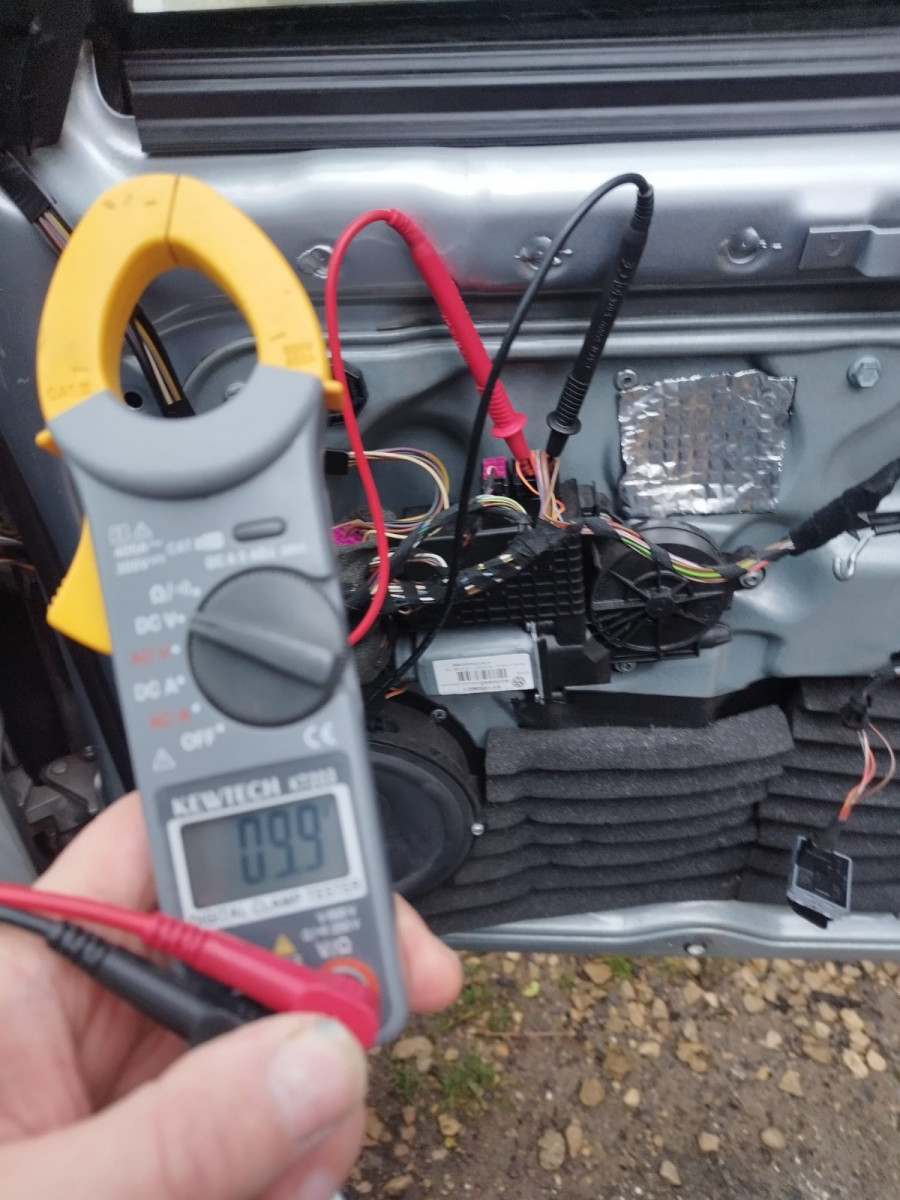 1 point
 -
1 pointI'll try a couple of quick experiments here today @dav, but something came back to me last night that may have relevance. Another member and I went through all sorts to solve similar symptoms including (I think) two different replacement motors, about 5 pages of PMs and more whatsapp chats before he discovered that there was a loose connection at the LIN connection to passenger side motor. Wedging a matchstick in next to the cable entry/terminal in the loom plug proved to be an effective fix! 😆 Not sure if it's still like that, haven't heard from him in a while.1 point
