


I.C.E. (For Sale)
DO NOT RESPOND TO AN ADVERT UNLESS YOU ARE INTERESTED IN BUYING!!!
Notice: When paying via PayPal you are advised not to send any payment as a 'Gift'. Doing so means that you lose the protection you get from PayPal if the item does not turn up.
2298 topics in this forum
-

- 0 replies
- 140 views
sparkz786 -

- 1 reply
- 263 views
scottycars -
- 1 reply
- 183 views
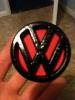 little red pocket rocket
 -
- 1 reply
- 239 views
megzmaster -

- 3 replies
- 186 views
 mikey_v-dub
 -
- 0 replies
- 223 views
dazzo1993 -

- 2 replies
- 387 views
Shortie78 -
- 0 replies
- 231 views
dario.dub -

- 0 replies
- 1.2k views
Tim_Johnson56 -

- 14 replies
- 522 views
AlexGT -
- 1 reply
- 164 views
scottycars -

- 27 replies
- 818 views
 brettd
 -
- 20 replies
- 1k views
mike071288 -

- 3 replies
- 204 views
ashj90 -
- 0 replies
- 133 views
type2dub -

- 1 reply
- 391 views
K03 -
- 0 replies
- 348 views
Polo96CL -
- 1 reply
- 212 views
 stapleface
 -

- 2 replies
- 174 views
Guest -

- 5 replies
- 419 views
 poloadam
 -

- 0 replies
- 235 views
Sammo -

- 5 replies
- 724 views
scriv -
- 1 reply
- 202 views
zombie1000 -
- 0 replies
- 114 views
spudisdabest -

- 6 replies
- 221 views
polo6n2g40
Recently Browsing 0
- No registered users viewing this page.
